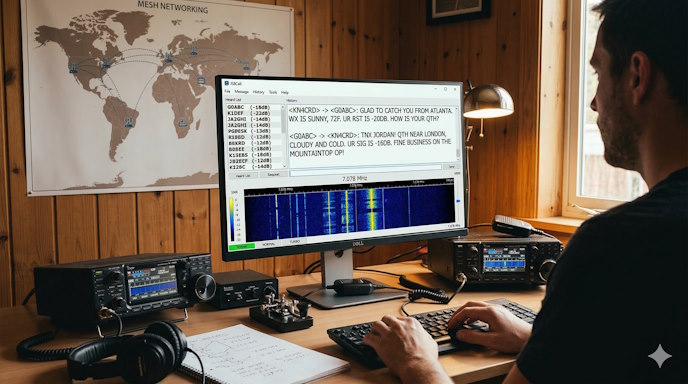

If you love the weak-signal performance of FT8 but hate that you can’t actually talk to anyone, you aren’t alone. While FT8 has revolutionized HF by allowing us to make contacts through the noise, it is strictly limited to structured exchanges: callsign, grid, and signal report.
Enter JS8Call.
Built on the same robust 8-FSK modulation as FT8, JS8Call (the mode is “JS8”) allows you to send free-text messages. It is essentially the love child of FT8 and the classic PSK31, offering the “invisible” signal performance of the former with the conversational “ragchew” ability of the latter.
Why JS8 is “FT8 Plus”
JS8Call was designed by Jordan Sherer (KN4CRD) to fix the one thing FT8 lacked: human connection. Here is how it differentiates itself:
- Free-Text Messaging: You can type anything from “How’s the weather?” to “I’m running 5 watts from a mountaintop.”
- Variable Speeds: As of 2026, the software (including the popular JS8Call-improved v2.5.2) offers four speeds:
- Slow: For the absolute worst conditions (decodes down to -28 dB).
- Normal: The standard, decoding to -24 dB.
- Fast/Turbo: For when signals are stronger, reaching speeds up to 40 WPM—fast enough for a real-time fluid conversation.
- Mesh Networking: JS8 stations can act as relays. If you can’t reach a station in Germany directly, you can “hop” your message through a station in England that can hear both of you.
The “Heartbeat” of the Band
Unlike FT8, where everyone is constantly calling CQ, JS8 relies on Heartbeating.
When you leave your station on, it can periodically send out a tiny “Heartbeat” signal. Other stations that hear you will automatically acknowledge it. This builds a “Heard List” on your screen, showing you exactly who is within reach and what their signal-to-noise ratio (SNR) is.
Pro Tip: In the JS8 community, it’s often better to send a Heartbeat before a CQ. If you see ten stations acknowledge your heartbeat, you know you’re being heard before you start a conversation.
Strategic Tips for Your First JS8 QSO
- Sync Your Clock: Like FT8, JS8 requires precise time synchronization. If you’re off-grid without internet, use the “Manual Sync” feature in the software to align your clock with the signals you see on the waterfall.
- The “Watering Holes”: Don’t hunt across the whole band. JS8 has specific frequencies:
- 40m: 7.078 MHz (The most active)
- 20m: 14.078 MHz
- 15m: 21.078 MHz
- Use Directed Commands: You can “query” other stations automatically. Right-click a callsign to ask for their SNR?, INFO?, or even their GRID?. Their computer will reply automatically without the operator needing to be at the desk.
[Table: FT8 vs. JS8Call Comparison]
| Feature | FT8 | JS8Call |
| Messaging | Fixed/Structured | Free-Text Keyboard |
| Sensitivity | -24 dB | Down to -28 dB (Slow mode) |
| Automation | Fully Automated | Optional (Auto-reply/Relay) |
| Purpose | Speed/Contesting | Conversation/Networking |
The Ultimate Emergency Tool
Because of its ability to send APRS messages, emails, and SMS via “gateways” (like the @APRSIS group), JS8Call has become the gold standard for Emergency Communications (EmComm). You can send a text message to a family member’s cell phone from the middle of the wilderness using nothing but a battery, a wire, and 10 watts of power.